Triple - G or 3G Programming - Latest Trend in Software Development
For the past couple of days, I have been asking myself, What does it take to be a G-Programmer?
I know by now you buzzer is on -"What is G-programming in the first place?" If you asked that to yourself, then you are in the right place. Then let me place by assumption about you on the table:
- One - You are a programmer or perhaps, interested in programming
- Two - You are interested in programming trends
- Three- You want to have little fair share of the multi-billion dollar industry or at least stay relevant.
Without calling a delay() subroutine, let me answer the first question:
What is Triple-G Programming?
G for Global
This is programming that me address a particular aspect of society be it health, education, business, etc but has a global appeal. Global here implies the application cut across region and religion, language and culture, race and gender, desktop and mobile and wearable, static dynamic and AI. Global here also means open ie " pro- open-source". Global also means the application can be accessed by other applications and users can push the barriers of applicability.
G for Green
This is programming that is not necessarily limited to promoting the green revolution nor address renewable energy challenges but by itself, intrinsically, green in terms of code efficiency. The application respects the EMC (Electromagnetic Interference / Compatibility) policy - to be and let others be, being economical and considerate n processor and memory and power usage. It should have minimum footprint. Of course it should help using reduce carbon footprint.
G for Godly
Undeniably, programmers are first of all humans. In a bit to increase human ease and/or decrease human dis-ease, we develop various applications. Programmers are creative, lovely and logical beings. Developing any software that will hurt or harm humanity isn't G-programming. Man would be a savage beast without the godly factor - believing it or not. This prints to the debate the ethics of cyborgs and the production of AI killing machines already in production.Programmers should not be the ones to arm politicians with weapons of mass murder like Nuclear Physicist and Biochemist did in the 19th century. I can't agrees any less with
Elon Musk (CEO of Tesla and SpaceX) when he said, according to Washington Post, "
With artificial intelligence we are summoning the demon."
Implication of Triple - G Programming
Game
Unlike other programs games carry the widest usage. The games could be very challenging, yet that doesn't hinder is appeal. It is very interactive and addictive. Programming should start looking at every software as a game. When adapts the game model we have a good "Adaptive Learning" experience - student centered, interactive, performance monitoring, immediate feedback. The gaming model is also seen in Network Marketing, Betting etc.
Go Programming
*A 3G programming language if
Golang. It is a compiled, statically typed, memory safety and concurrent language with garbage collection, limited structural typing. Go takes advantage of , and adapt to the needs of current and emerging trend of cloud, distributed, AI system etc. To all 3G programmers, get Go-ing is not optional
Google Service
I need not say much about this Giant we all know. google has provided tools and service for developers to leverage 3G Software Development:
Firebase: Firbase is a mobile and web application development, deployment and post-deployment monitoring and management platform. It greatly reduces developers stress about back-end and let them focus on front-end development challenge. Firebase offers Realtime Database, Crash Reporting, Cloud Firestore, Authentication, Cloud Functions, Cloud Storage, Hosting, Test Lab for Android, Performance Monitoring and other services. 3G developer should ionic his base with some fire!
Actions on google and API.AI: 3G-Programs apart from guaranteeing users data privacy and security also enhances users freedom. Apps for the Google Assistant ensures that freedom developed using
Actions on Google. They are conversational in nature and let you
extend the Assistant's functionality with your own conversations that
let users carry out their intentions through
API.AI. Applications that lack this feature will be soon be fading out gradually.
General
G-programmers are generals or are becoming one. "Generals" here is borrowed from the military register. To become great programmer or g-programmer is going to take discipline. It implies being the best you can be and not half-baked. Not being contented with a program you know you could make it even a little bit better.
As a g-programmer, you must have general knowledge (not expert knowledge) but at least fundamental knowledge in every category of the IT city (ICT). That would make a general know which special-force division to assign for a particular operation. My arrangement may be inexact but the idea is, have a knowledge of each category.
SN
|
Category
|
Language/Framework/Service
|
1
|
Web
App (back-end)
|
ASP,
PHP, Dart ( + Frameworks)
|
2
|
Website (front-end)
|
HTML5, CSS3, JS, Bootstrap4
|
3
|
Progressive
Web. App
|
Angular,
Dart
|
4
|
Scripting
|
Typescript , Python, Ruby-on-Rails
|
5
|
JS
Framework
|
Ajax, JQuery,
Node
|
6
|
Mobile App
|
Android, Ionic, PhoneGab, Flutter, Swift
|
7
|
Google
Services
|
Firebase,
API.AI (Action on Google)
|
8
|
Desktop/ Enterprise
|
Go, Java, C / C++, C# .Net
|
9
|
Database
|
MySQL,
SQLite, Oracle, MongoDB, SQLSever, PostgreSQL
|
10
|
Modelling, Simulation
|
Matlab, R
|
11
|
Microcontrollers Programming
|
Arduino, Raspberry |
A g-programmer is jack of all, master of some
Yes! A g-programmer must be an expert in at least one programming language but apart from that, as a g-programmer, you are also a good team player exhibiting good leadership quality and interpersonal skill with other professionals. Get involved in
Stackoverflow,
Github, etc and share. As a 3g-prgrammer, taking part in the (global) developer community and making contribution in any little way is a hobby.
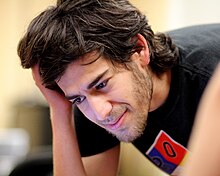 |
| Aaron Hillel Swartz |
Give: Finally, a g-programmer is an activist supporting a noble course always such as freedom, human-right, charity, etc. Programmers are the most logical set of people thanks to their daily practice. And the logic of the heart is charity.
Conclusion
The world has becoming a global village and continues to evolve and software developers who seems to be the pace settings must evolve with it. The evolved programmers of the generation are 3g-programmers whose works must be godly, green and global; whose experience must be general and holistic all with the every constant objective is to increase human ease and/or decrease human dis-ease as man expands his frontier in our universe.
Note:
* This item is highly a personal opinion.


